Call Analysis
Get out of the fog, analyze your calls
Understand, measure and analyze your customer service activity. Natalia Analytics transcribes the calls in your scope, scores them against your grid and shows what makes the phone ring, and what it costs.
What changes
-
Reliable transcription
Accents, jargon, interruptions... The text matches what was said.
-
Automatic analysis
AI scores, categorizes and summarizes every call against your grid. Without listening to every call.
-
Numbers, not guesses
Dashboard with metrics. You know how many, when, why.
What you can do
Specifically
-
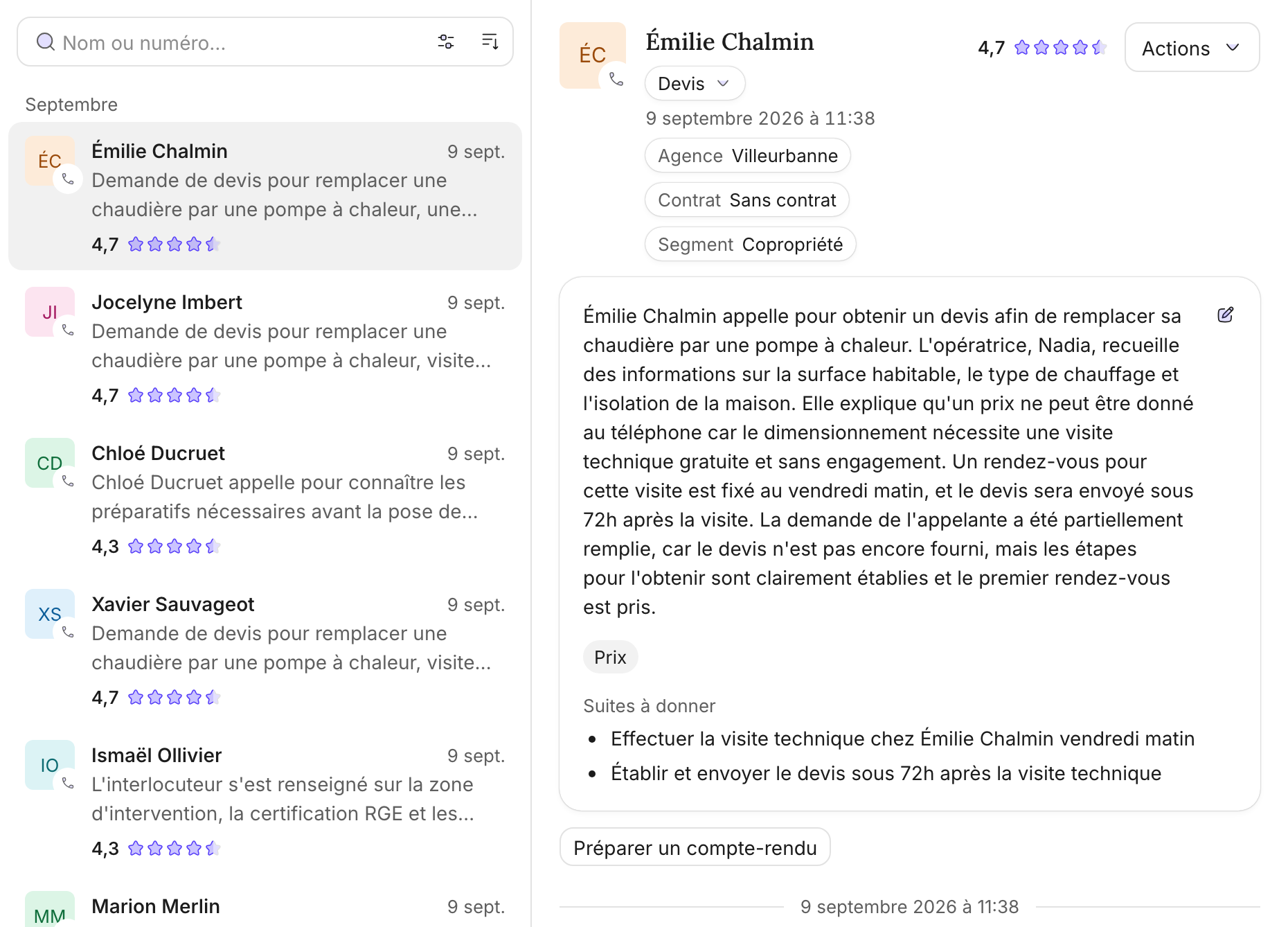
Full transcription
Your calls in text, with no sampling. You know who spoke, at what moment.
-
Automatic scoring
The criteria of your grid scored 1 to 5, with their rationale, per call and per agent. A standard grid is ready as soon as you subscribe, and you reanalyse the calls you keep when you change your criteria.
-
Management dashboard
Trends, comparisons and, every Monday, the week's recap by email: score, topics raised, agents. Managers see what's happening without listening to hours of calls.
-
Targeted training
We identify calls that got stuck. Raw material to train your teams on real cases.
-
Custom labels
Competitor mentioned? Sales opportunity? You define the labels and the information to extract, AI fills them in on every call.
-
Complete audit
No more sampling: every call in the scope you define is analyzed.
The screens, on real data
Four views, one question every time: what makes the phone ring, and what does it cost.
-
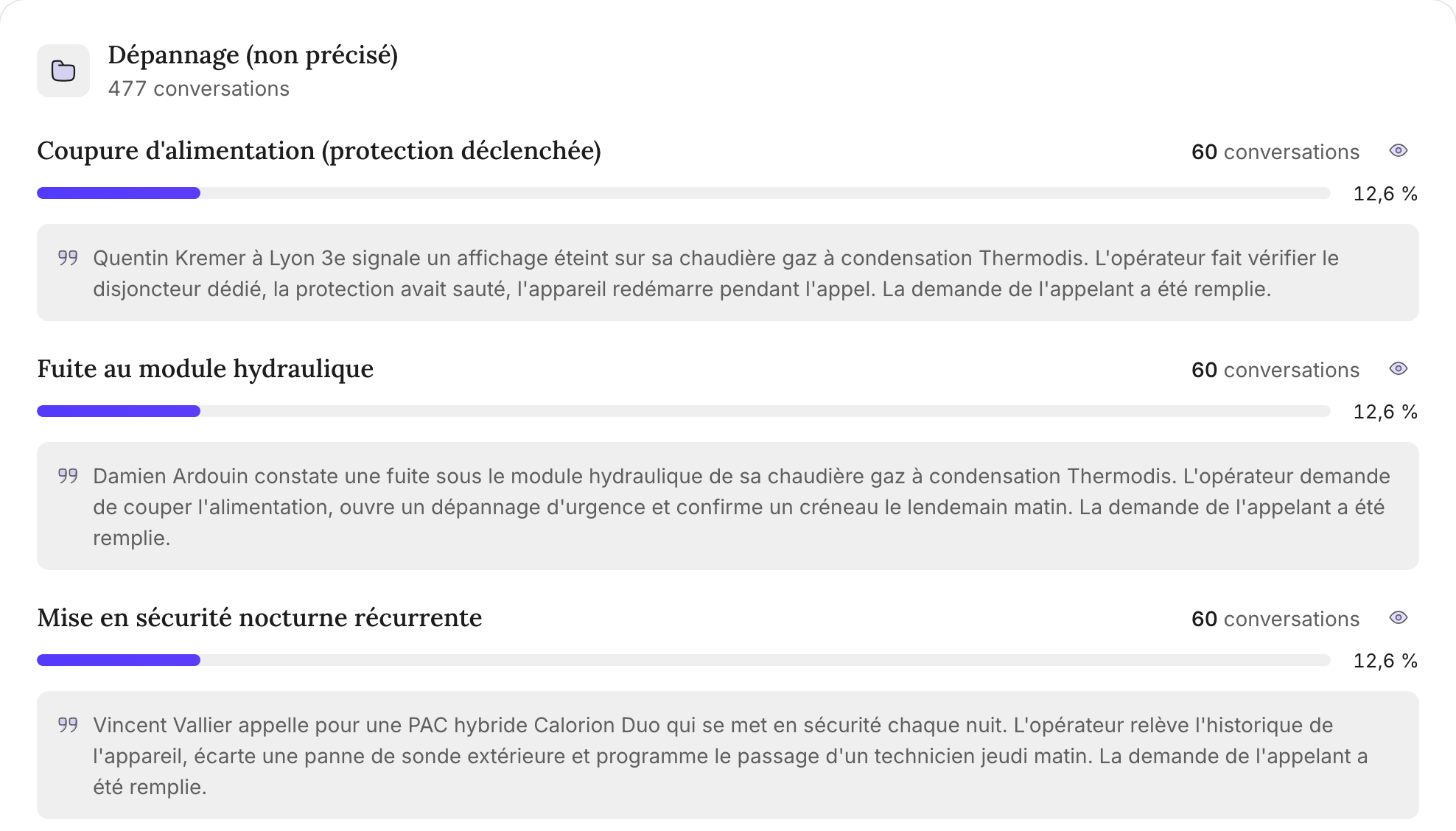
Summaries
Call reasons, grouped
Within each category, calls are grouped by actual reason, each with an example, plus recommended actions.
-
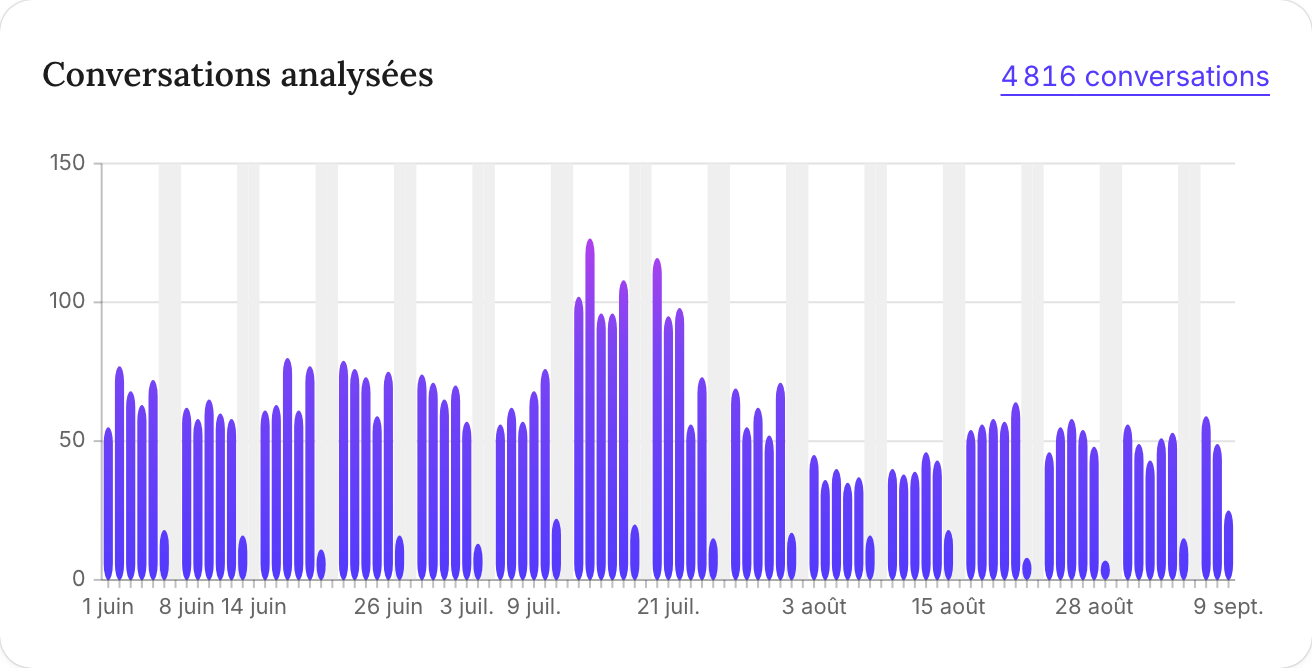
Activity
Volume, day by day
Calls analysed, median duration, breakdown by hour and by category. Weekends are marked.
-

Quality
The score, criterion by criterion
Each criterion of your grid (here professionalism, advice, resolution) gets its score out of 5, tracked over time and compared across agents.
-
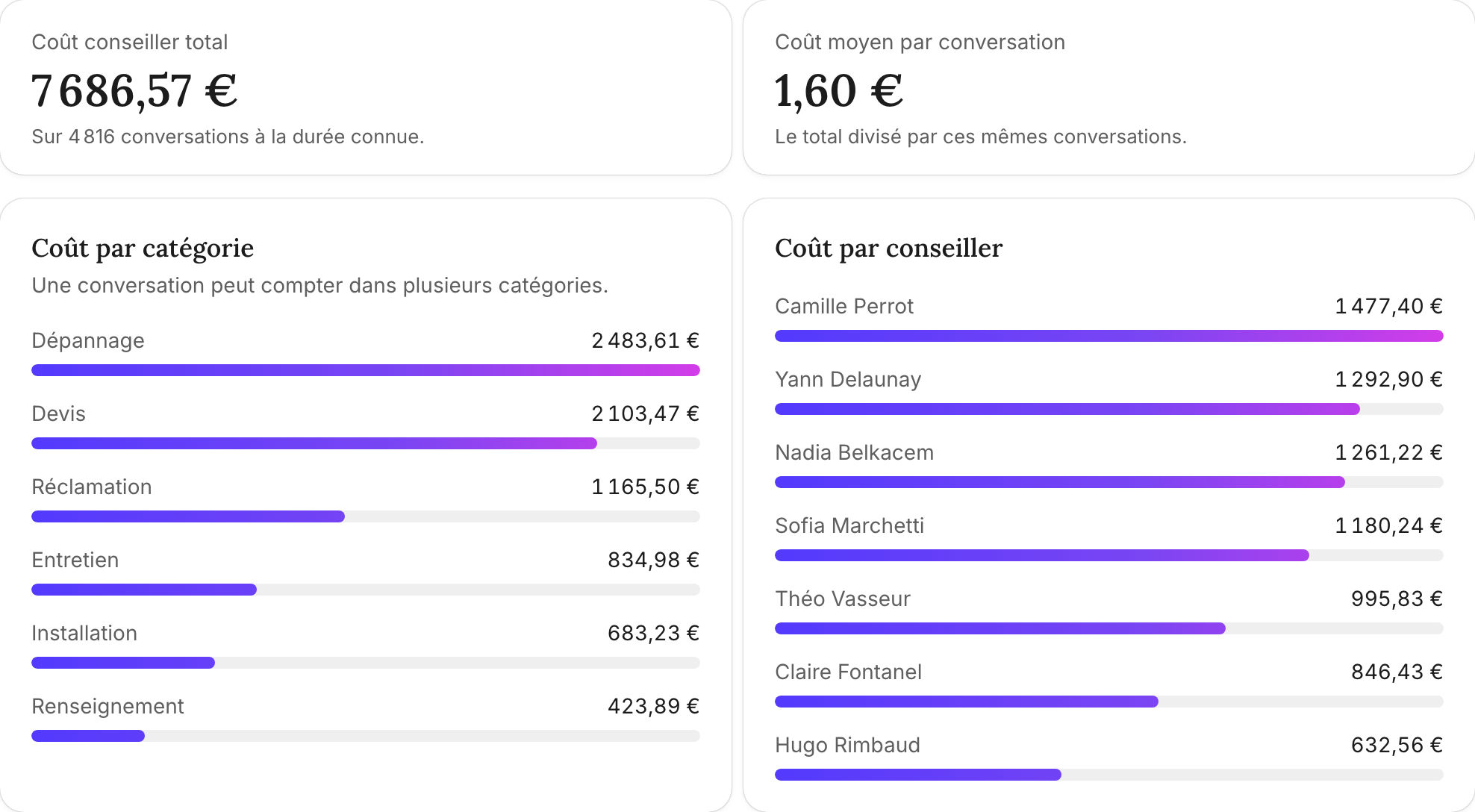
Costs
What each reason costs
Time spent on the phone is converted at your back-office loaded hourly rate, then broken down by category and by agent.


Screenshots taken on a demo organisation. No real customer data.
Measure, fix, measure again
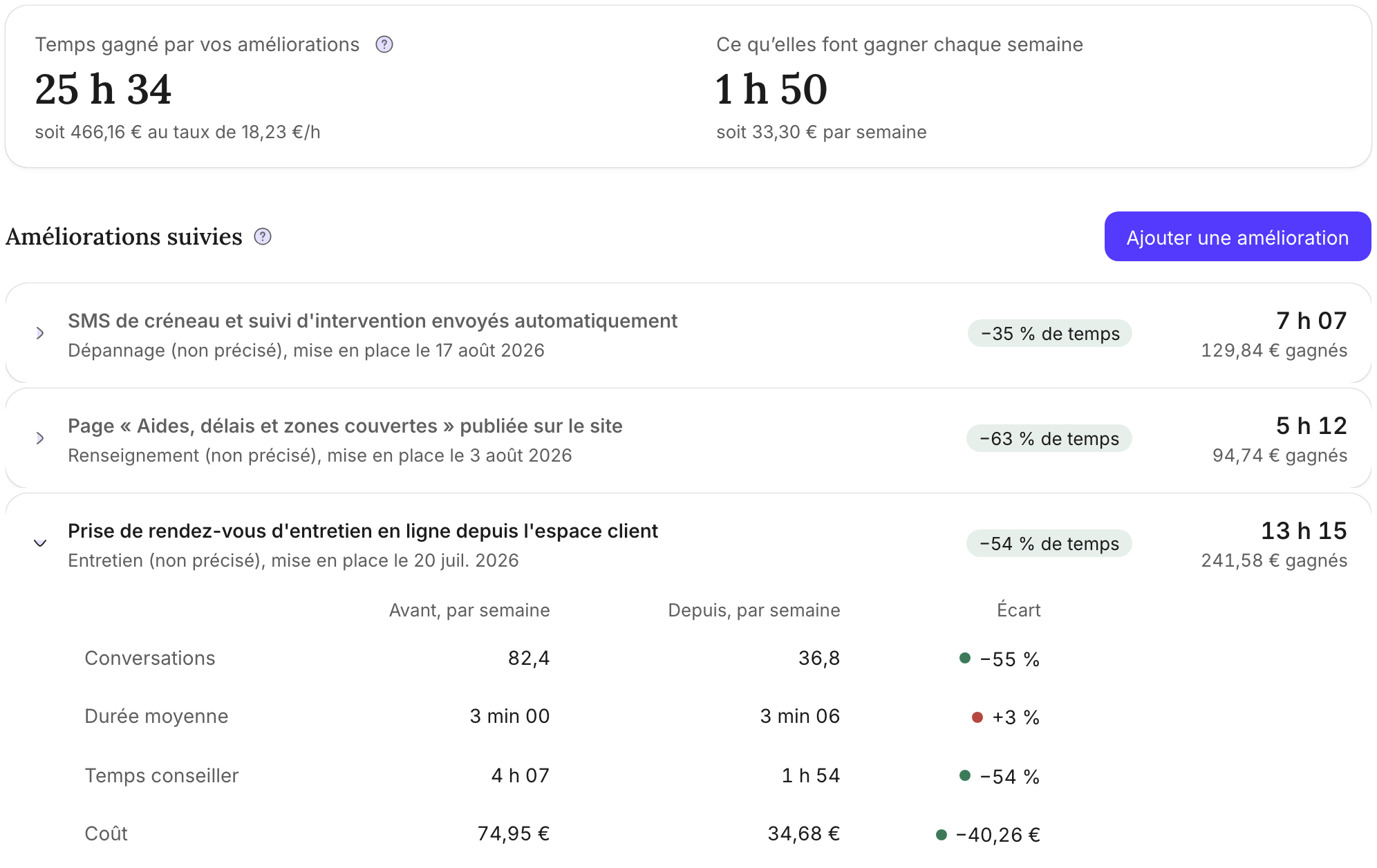
The Kaizen loop, applied to your customer service, moves in small improvements, each one checked against your own numbers.
-
Improvements
-
1
Measure
Trends show which reasons make the phone ring and how much of your agents' time they take.
-
2
Fix
You roll out a targeted improvement, for example a help page on your website or online booking. You declare it in the console with its date.
-
3
Measure again
Natalia compares the following weeks with the average of the eight weeks before and puts a number on the time saved, in hours and in euros.
-
1

How it works ?
-
1
We connect
Sync the recordings from your OVH telephony or import your WAV and MP3 files.
-
2
We transcribe
Each call becomes text with timestamps and speaker identification.
-
3
We analyze
AI scores each call against your grid, summarizes it and groups call reasons. A standard grid is ready as soon as you subscribe.
-
4
You decide
Clear dashboard. You know what's happening. You act.
What it brings
Concrete results
-
Decisions based on facts
No more random listening. You have data from ALL calls.
-
Problems spotted fast
Summaries show why people call, scores show what's going wrong. You fix it before it escalates.
-
Provable quality
Every call scored on your criteria. You show quality with numbers to back it.
For whom ?
If you have teams on the phone and need to know what's happening
-
Quality Director
No more sampling. You analyze everything. Low-scored calls stand out, criterion by criterion.
-
CX Director
You know why customers actually call. Not through surveys, through their words.
-
Sales Director
Train your teams on real examples. The good calls and the bad ones.
Use case, healthcare
A medical device distribution network manages its phone reception quality
Multi-branch quality management, team skills development, weekly recap for managers. The customer asked to stay anonymous, the quotes are their own words.
This tool is brilliant. It lets me manage quality and manage skills.
The summary tool saves time. It will spare us hours of spreadsheets.